
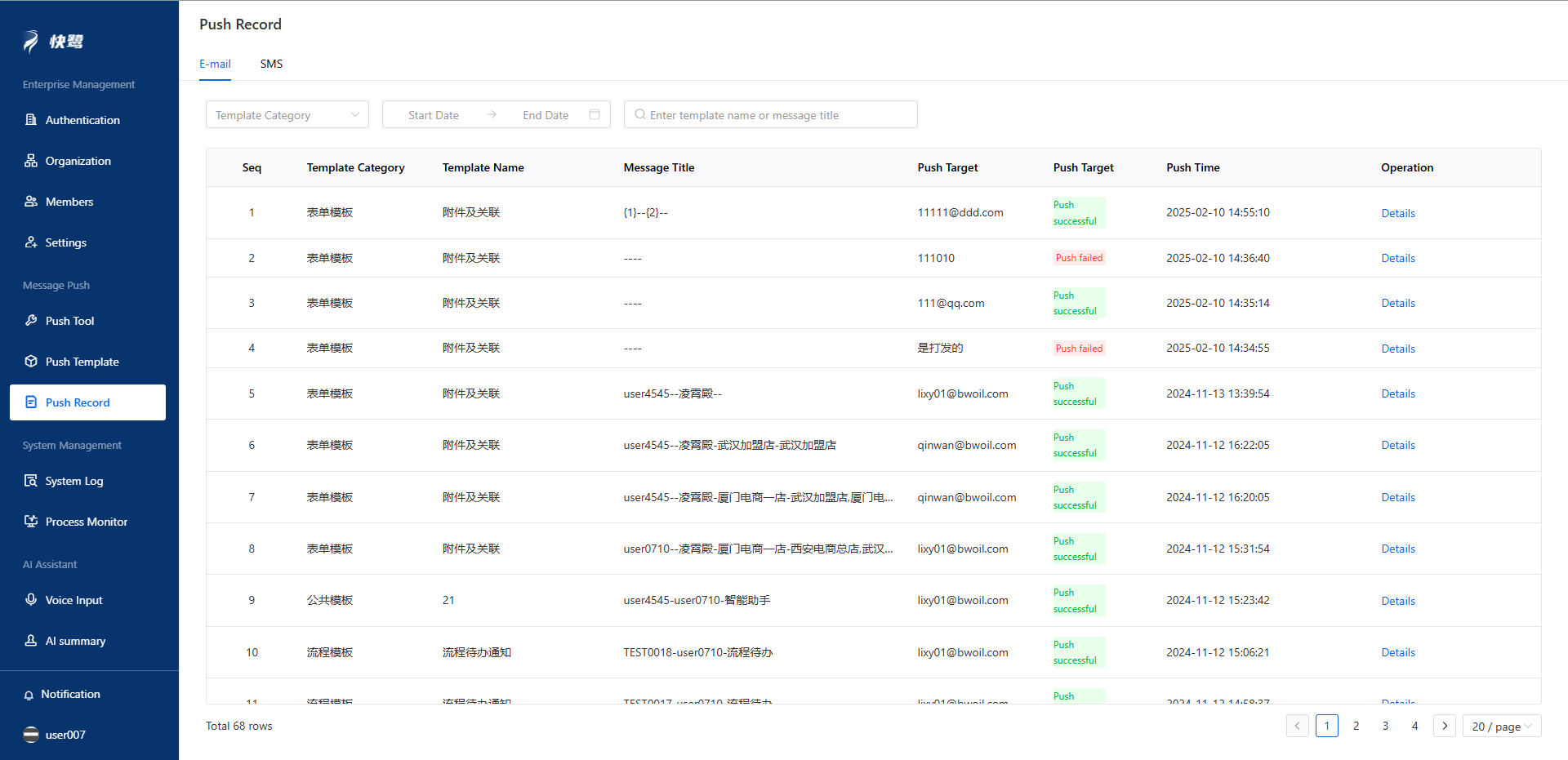
The Push Records menu includes records from two push tools: email push records and SMS push records.
1、Email Push Records
The push record list displays the template category, message title, push recipient, push status, and push time.
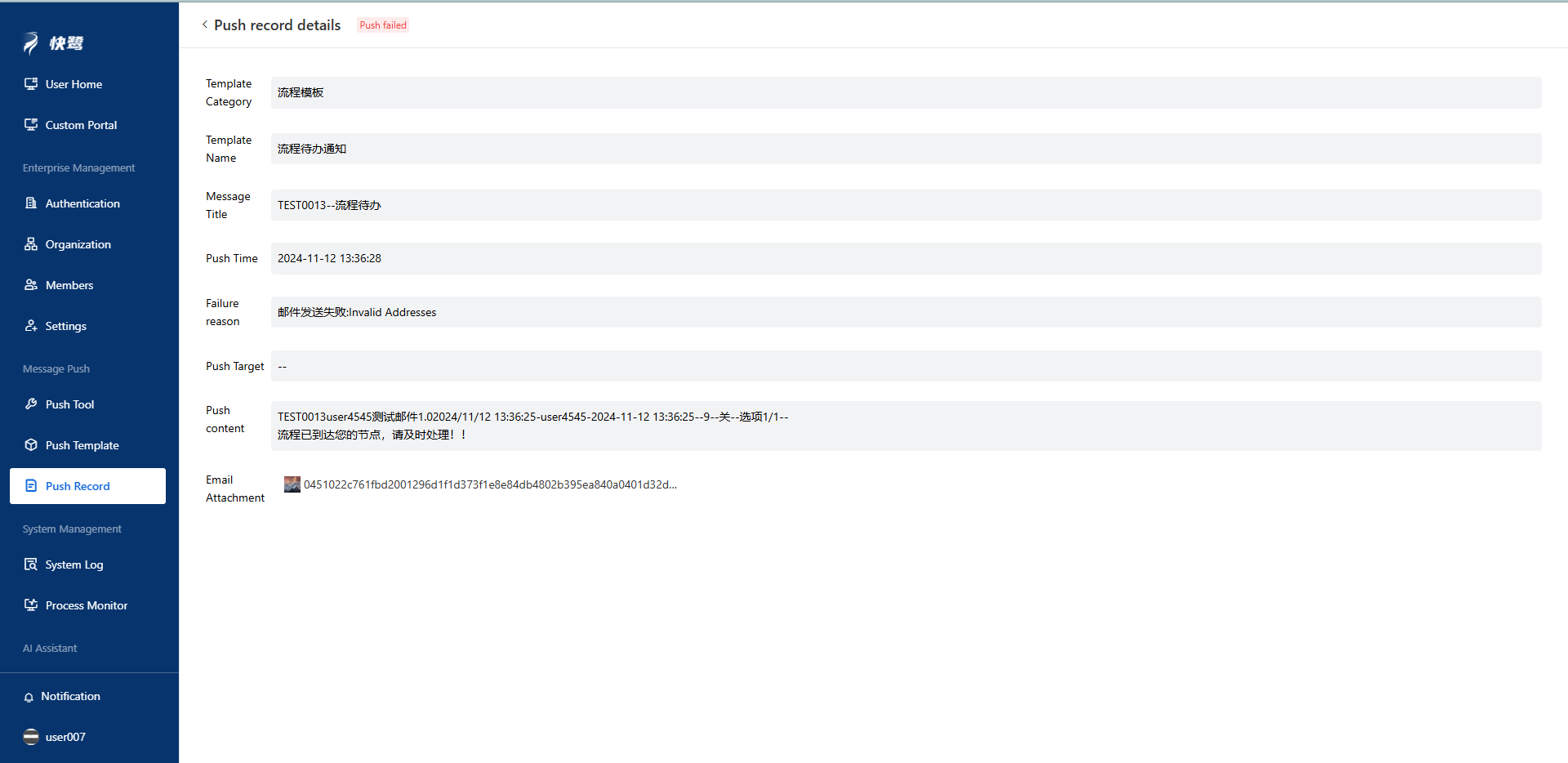
By clicking the "Details" button, you can view the reason for the failure. The pop-up window is shown in the figure below.
2. SMS Push Records
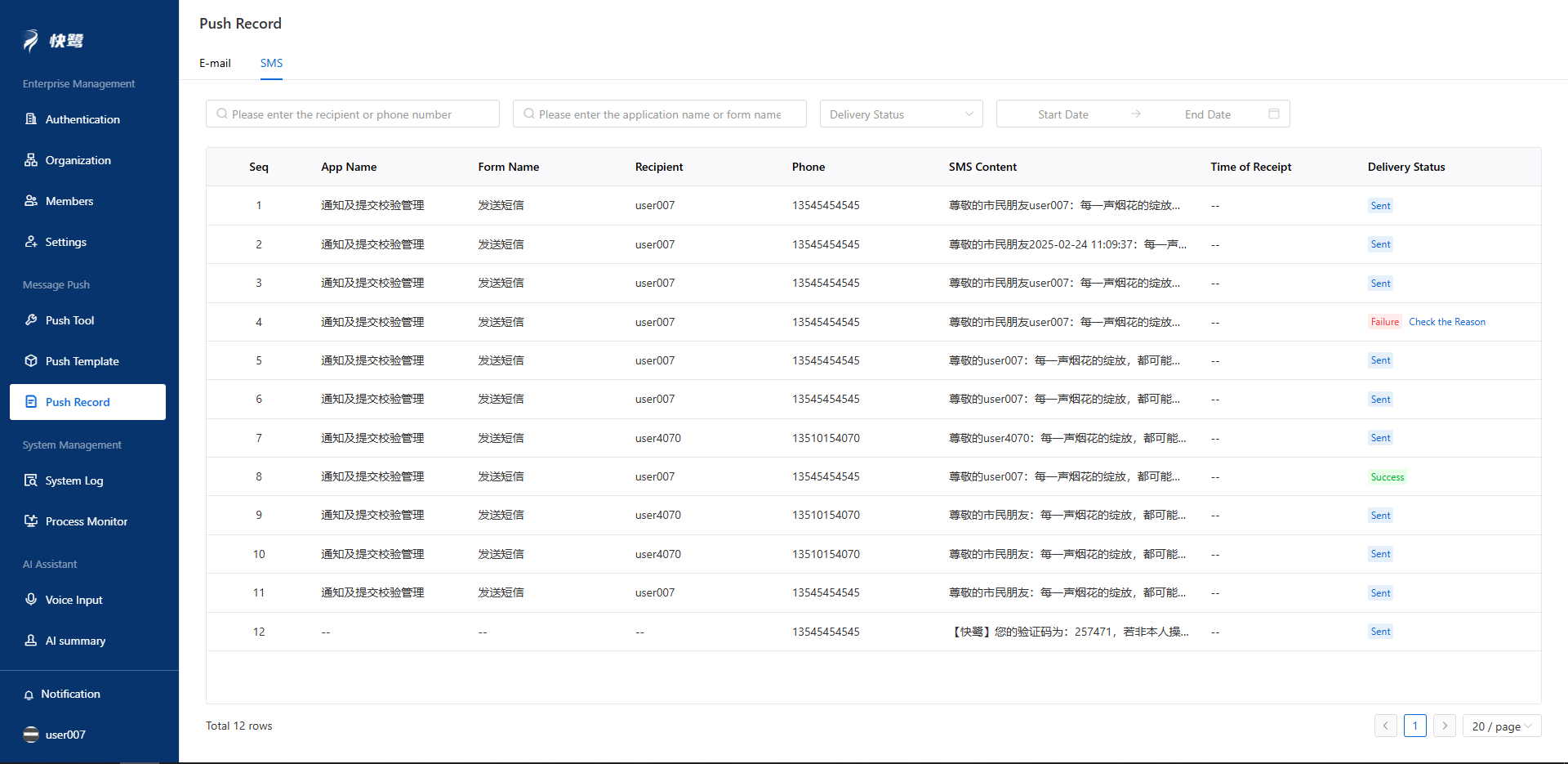
All SMS sending records can be queried under this menu.
Here, you will be able to see which application and form the SMS was sent from, the content of the message, and the recipient. If the SMS failed to send, you can check the reason for the failure by clicking the [Check the Reason] button.