
5.09.03 Data Deduplication
由 家乐 黎 于 2025/03/19 03:04 最后修改
1、Function Overview
Custom data deduplication check will be performed upon form submission.
2、Use Cases
For instance, when adding new materials, the material name must be unique and cannot be duplicated.
3、Setting Approach
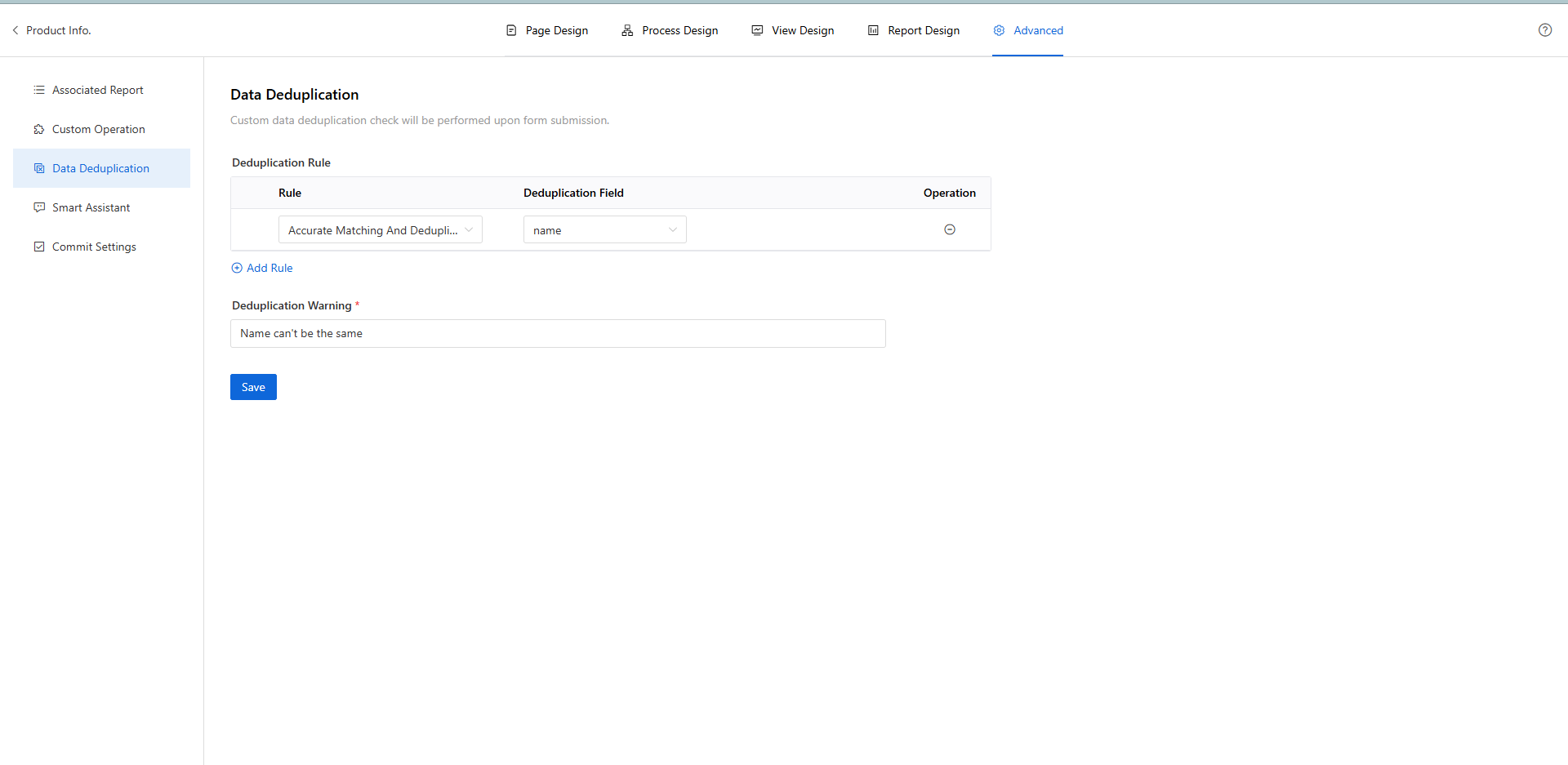
- The duplicate removal field starts with no fields, meaning that if there are no designated fields for duplicate removal, the current form does not perform any duplicate check.
- It supports selecting business fields from the main table of the current form (i.e., fields generated by user-dragged controls onto the page). Fields from tables or referenced forms cannot be selected.
- It supports the selection of multiple fields for duplicate removal.
- The allowed field types for selection include: single-line input, numeric, dropdown selection, radio button, date, time range, toggle switch, calculated formula, personnel, department, region, and data association.
- When multiple fields are selected for duplicate removal, it checks whether the concatenated result of multiple single-line input control values is duplicated. For example, both Single Line Input A and Single Line Input B have data duplication removal enabled as shown in the figure below:
Explanation:
Existing Data:
- Single Line Input A: A1, A2, A3
- Single Line Input B: B1, B2, B3
- Concatenation Result: A1B1, A2B2, A3B3
New Data:
- Single Line Input A: A1, A1, A2
- Single Line Input B: B2, B1, B1
- Concatenation Result: A1B2, A1B1, A2B1
- Is Duplicated: No, Yes, No
